

Appearance
Integrations
EAS trigger boxes connect to audio systems via XLR and an optional contact closure connection. The XLR provides a line-level emergency audio output. The contact closure connection can be used to trigger automations when EAS is activated.
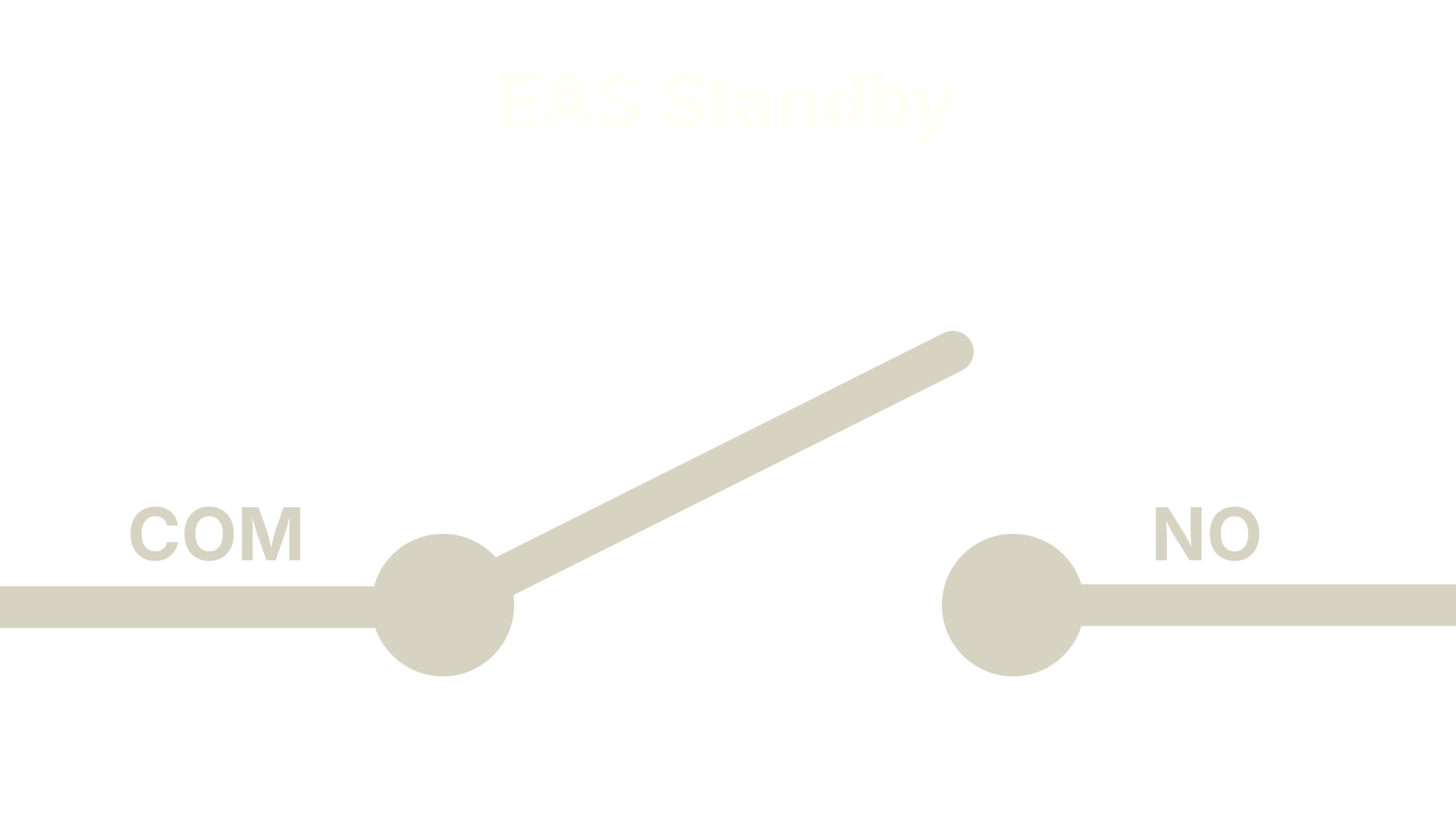 When in standby, Common (C) and Normally Open (NO) are disconnected. There is no audio from the trigger box.
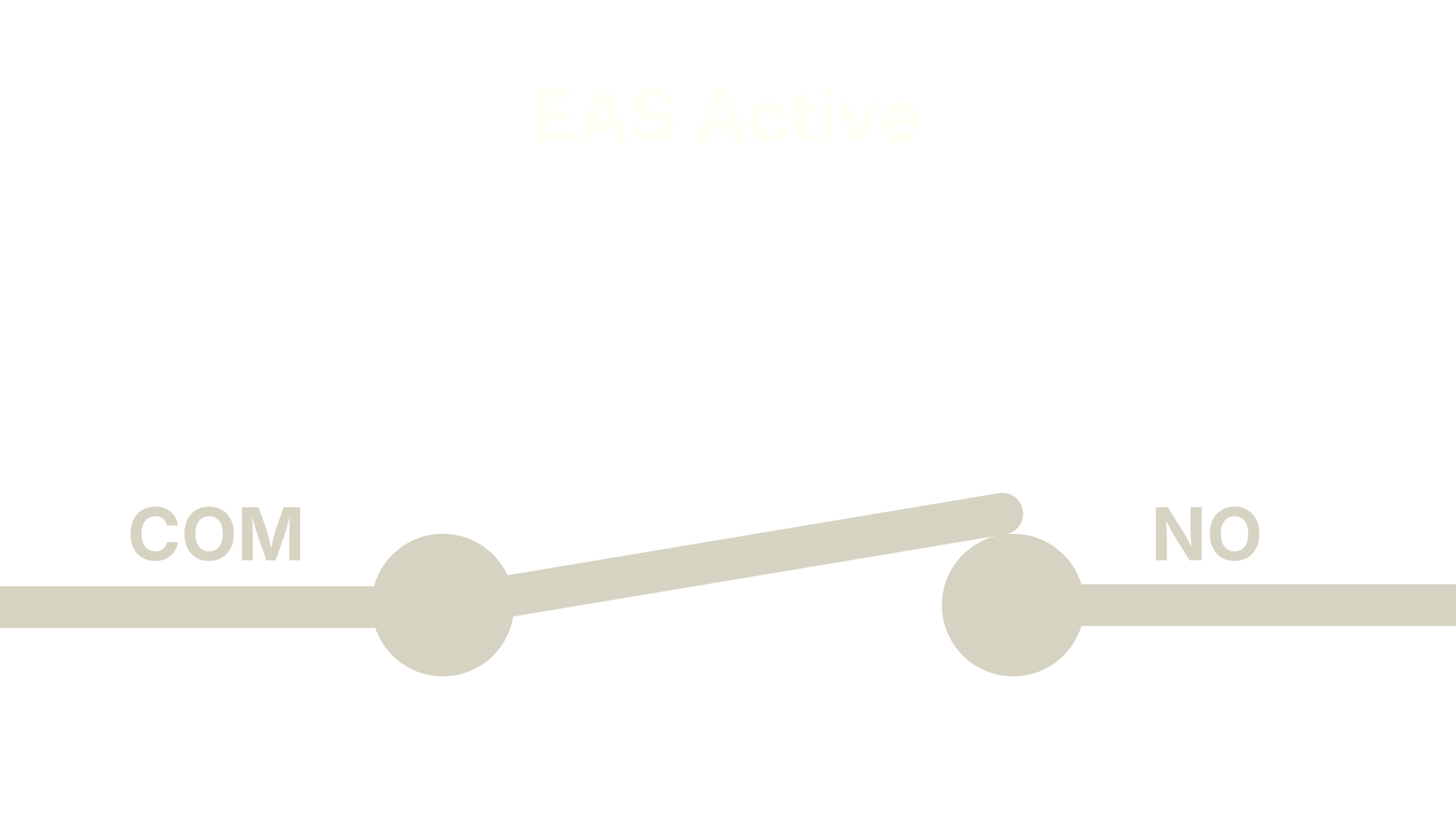 When EAS is activated, Common (C) and Normally Open (NO) are connected. The XLR will emit emergency audio.
For programming & testing, an EAS activation can be simulated without trigger box hardware. Connect a line-level audio source, such as a tone generator, to the input used for EAS on the audio processor. To simulate an activation, short the contact closure connectors together. A properly implemented system will mute program and broadcast EAS audio when the contacts are closed.
Below are pinouts and links to manuals for common production devices.
Yamaha Rivage PM
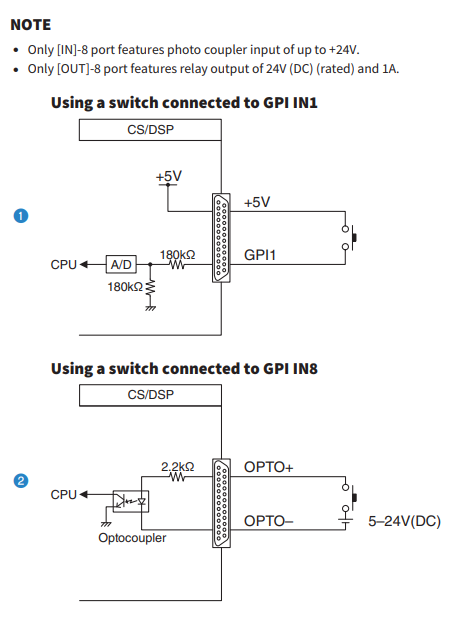
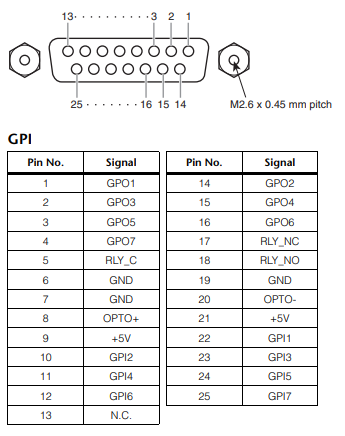 Via System Setup Guide & Operation Manual
Yamaha QL/CL
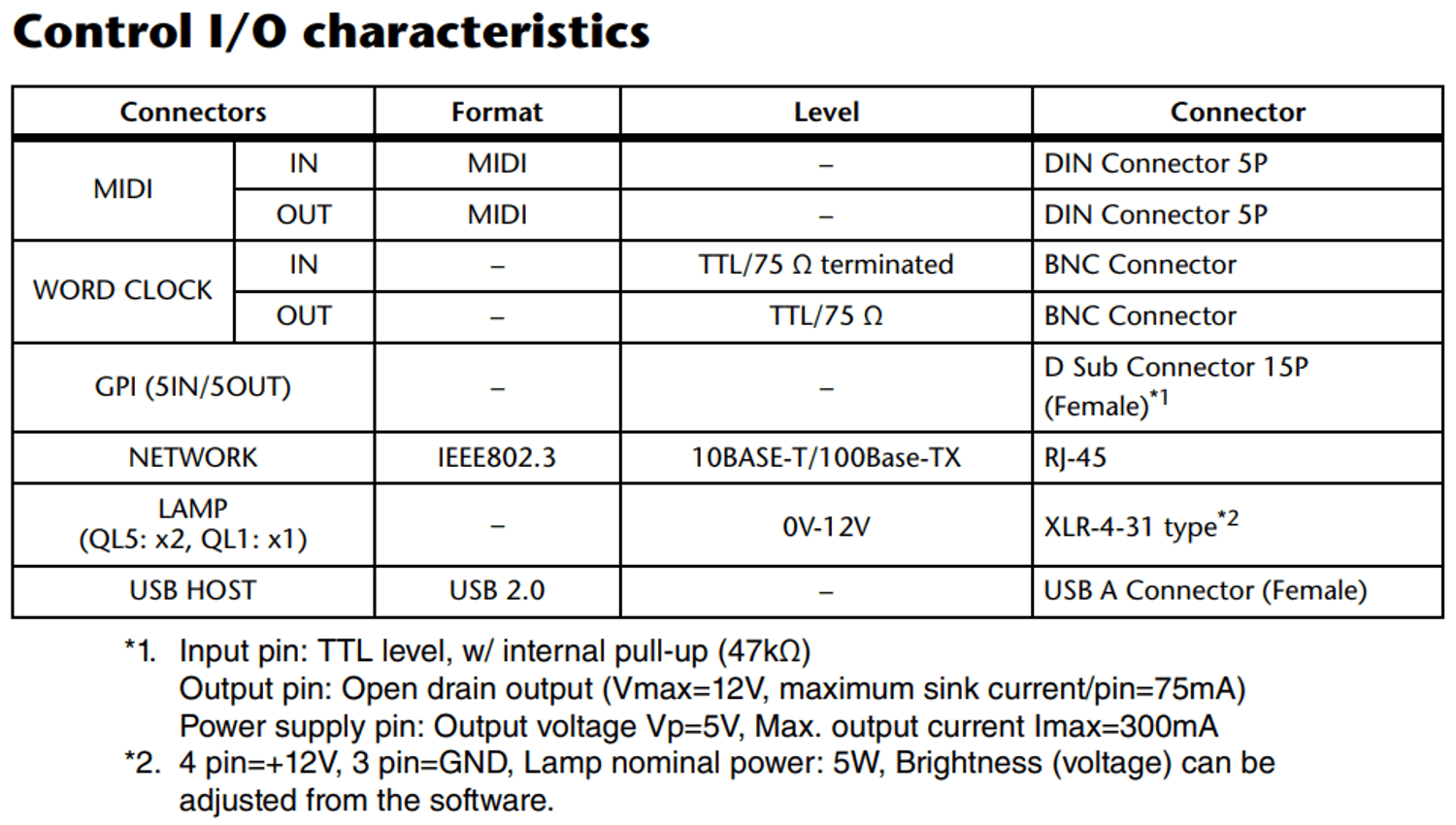
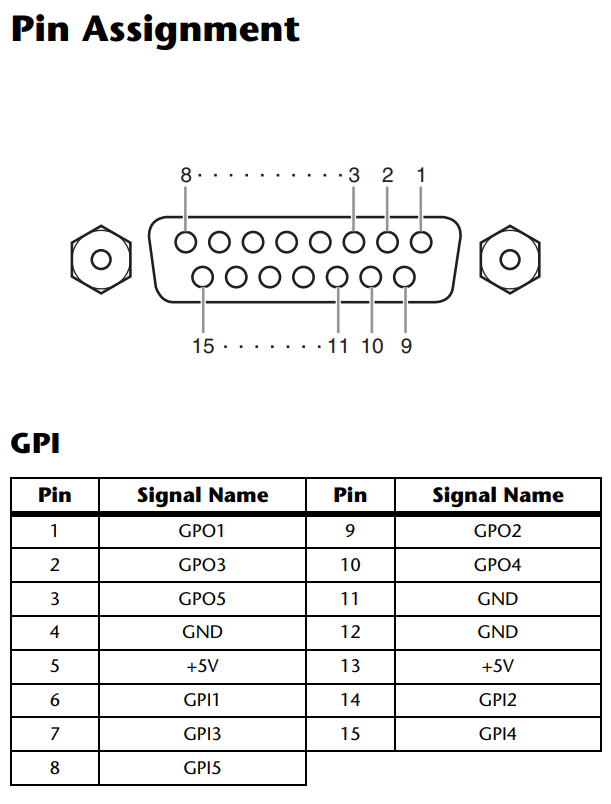 Via QL5 QL1 V5 Reference Manual
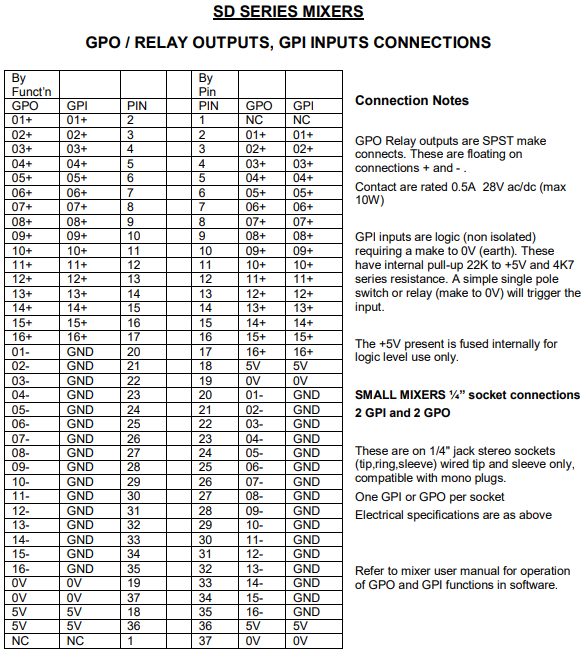
DiGiCo SD Series
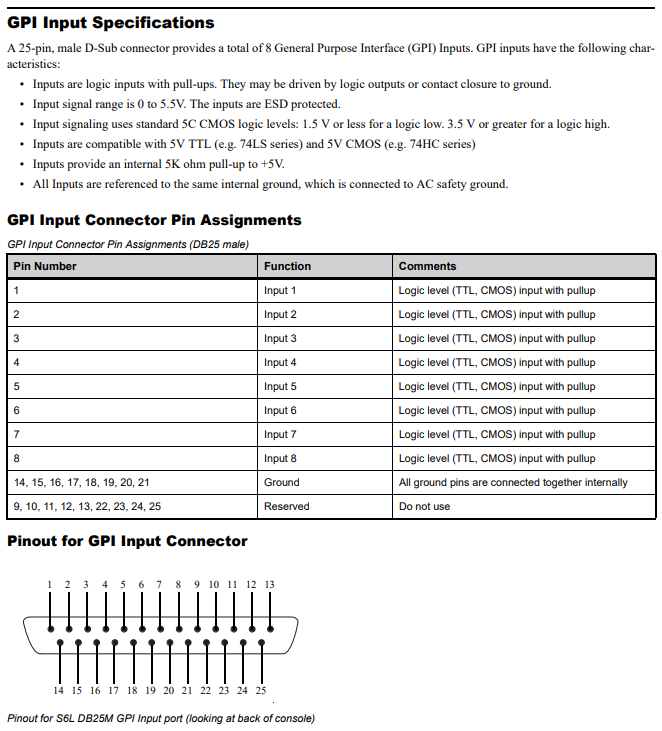
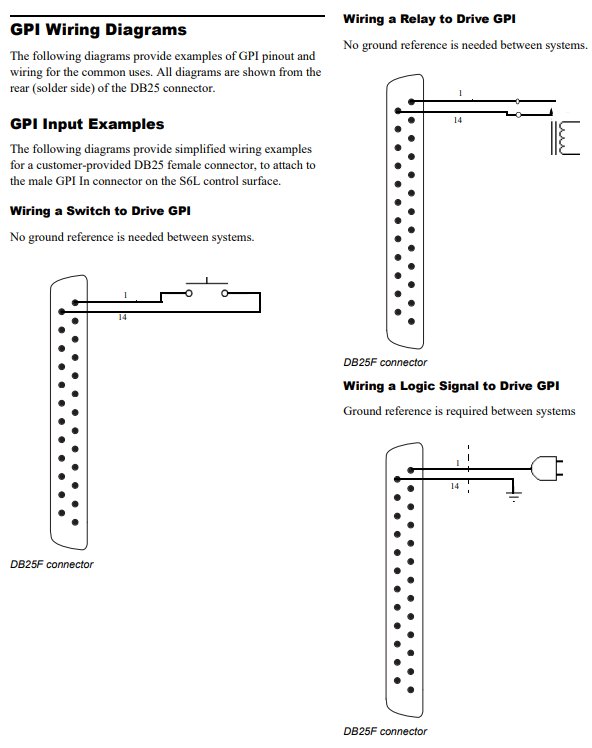
S6L
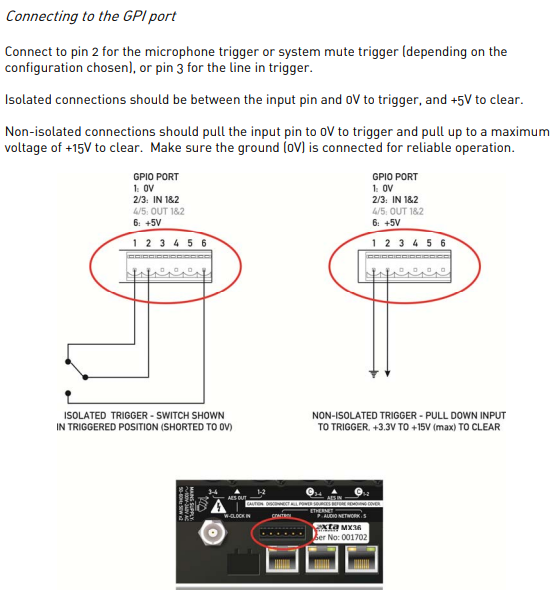
XTA MX36
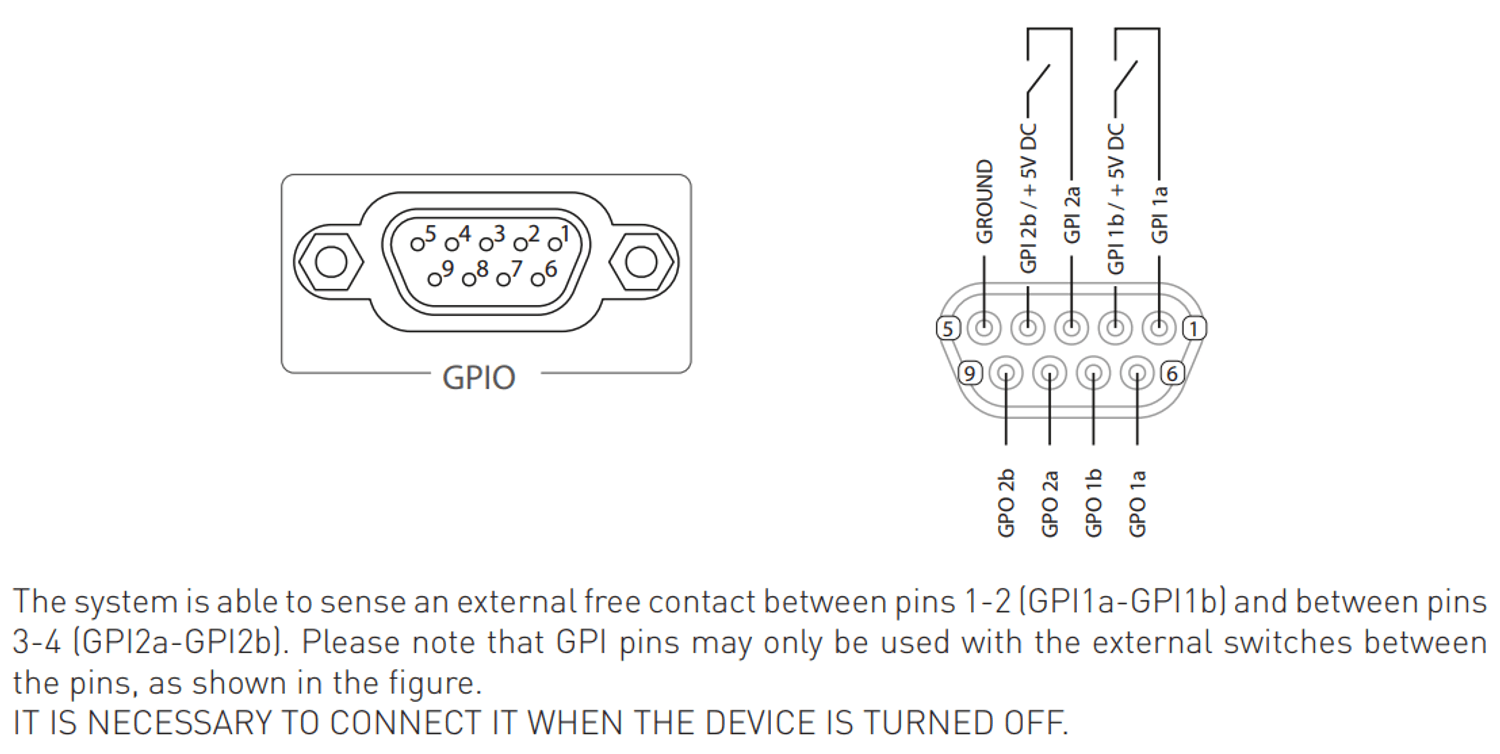
Outline Newton
Lake LM44
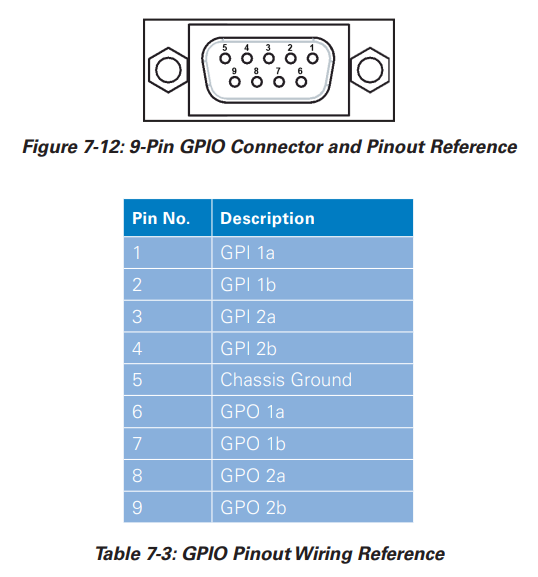
Via LM Series Operation Manual
L-Acoustics P1
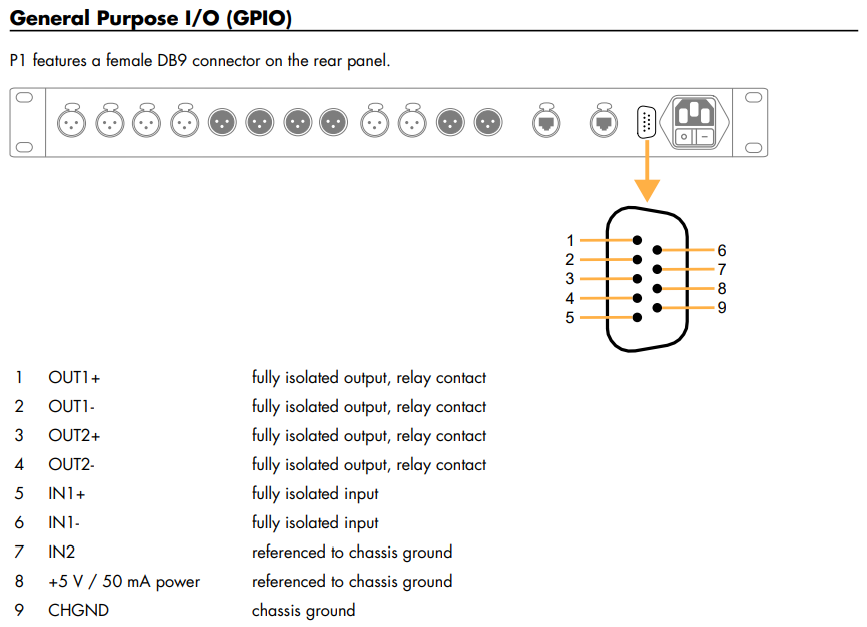
Via P1 Owners Manual and technical bulletin
MOTOTRBO MOBILE
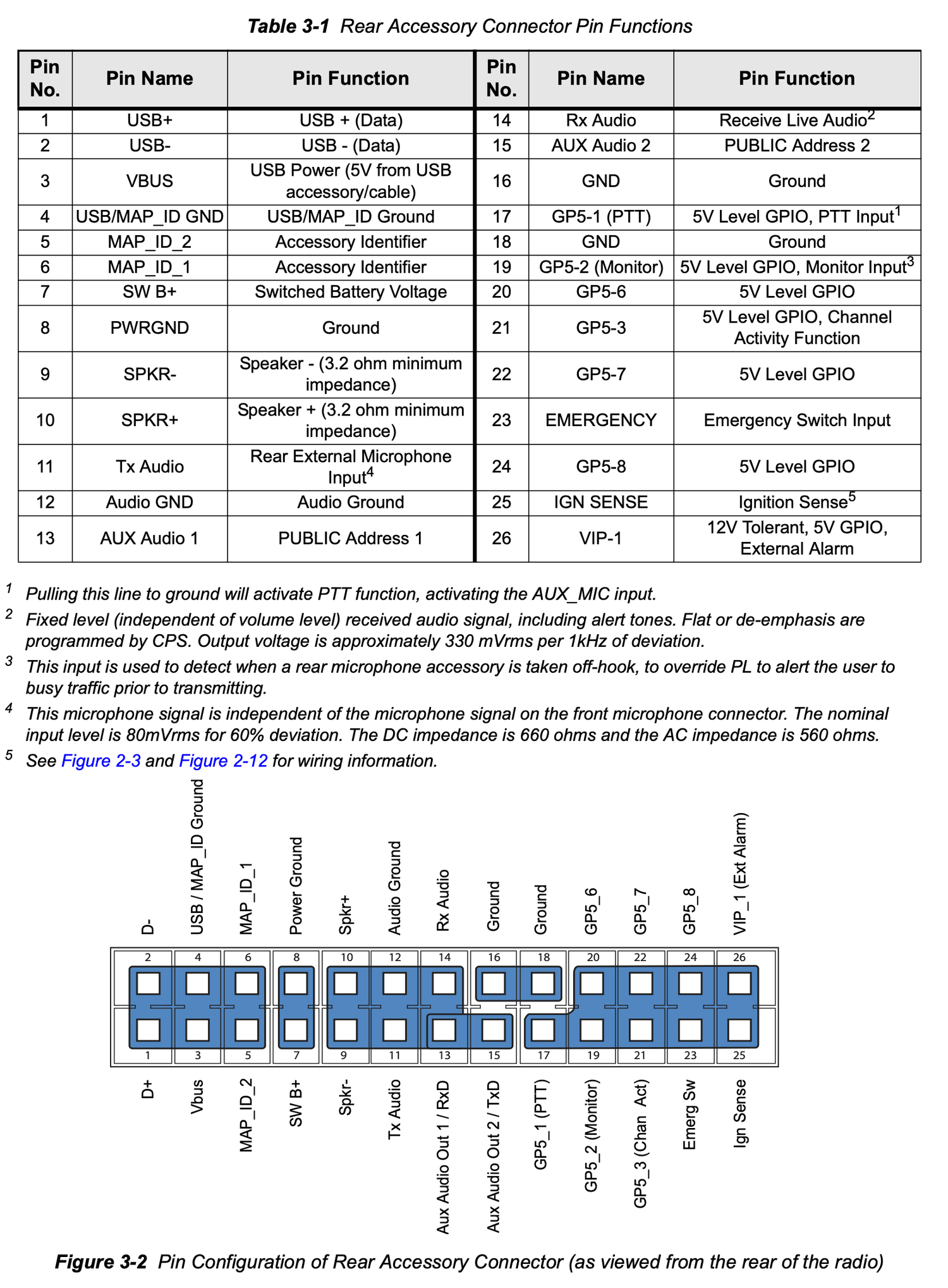
Via MOTOTRBO MOBILE INSTALLATION GUIDE